

Device Refresh Rate and Aviator Play: A Practical Guide for Ugandan Players
Aviator is a fast-paced crash game: a plane takes off, a multiplier rises, and the round ends when the aircraft flies away; Players try to cash out before that happens. Because the action is quick, it is natural to wonder whether a phone or monitor with a higher refresh rate can improve the experience—or even affect the result.
The short answer is that refresh rate can make movement look smoother, but it does not change the game’s underlying outcome or give a player more time to cash out. For players in Uganda, the more important factors are a dependable internet connection, a responsive device, clear controls, and a clear understanding of risk. This review looks at what refresh rate does, what it does not do, and how to approach Aviator responsibly.
What refresh rate means
Refresh rate is the number of times a screen updates each second, measured in hertz (Hz). A 60 Hz display refreshes up to 60 times per second; a 90 Hz display can refresh up to 90 times, and a 120 Hz display up to 120 times. A higher rate can make animation and scrolling appear smoother, particularly when the device and game can supply frames at that rate.
Refresh rate is different from frame rate. Refresh rate describes the screen’s capability, while frame rate describes how many frames the device or game actually produces. If a game runs at 60 frames per second on a 120 Hz screen, the screen cannot create additional game information. It may present those frames smoothly, but it cannot reveal an earlier or more accurate game state.
Does refresh rate affect Aviator outcomes?
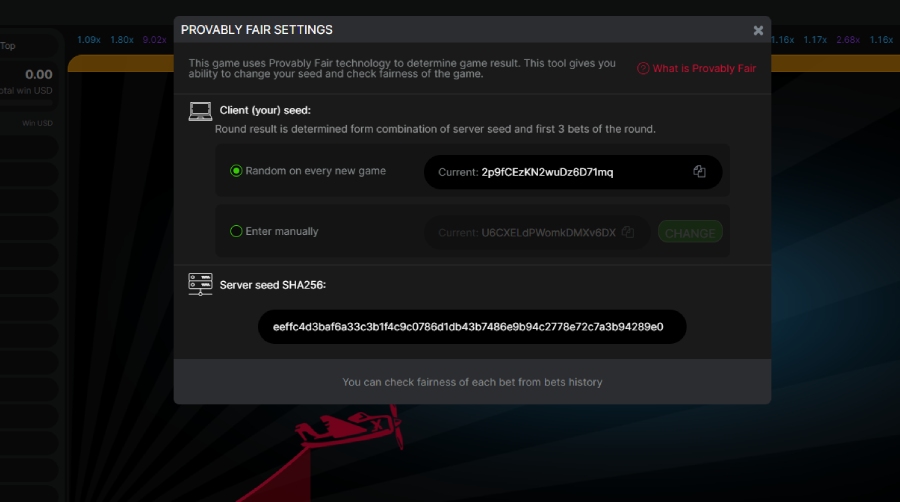

No. A display’s refresh rate does not determine the crash point, change the multiplier, or improve the probability of winning a round. Those results are governed by the game’s mechanics and the operator’s implementation, not by whether someone is using a 60 Hz phone or a high-refresh-rate screen.
Nor does a faster display provide a guaranteed cash-out advantage. A player may feel that a smooth animation makes it easier to follow the multiplier, but the information is still subject to network delays, device processing, and the game’s interface. A button press must travel from the device to the game service and be accepted there. A screen that updates more often cannot remove that communication delay.
Where a faster screen can make a difference
Higher refresh rates can improve visual comfort. Movement may seem less choppy, and interface changes can feel more fluid. Some players prefer this, especially during repeated rounds. The benefit is most noticeable when the device supports the selected refresh rate and the game is capable of rendering smoothly at a corresponding frame rate.
The practical benefit may be modest. Aviator has simple visuals, so a stable 60 Hz screen is generally sufficient to follow the plane and multiplier. A 90 Hz or 120 Hz display may look smoother, but it should be treated as a display preference—not a betting tool. Spending money on a new phone solely to gain an edge in Aviator is not justified.
What matters more than screen speed
- Connection quality: Weak or fluctuating mobile data or Wi-Fi can delay loading and actions. A stable connection is usually more useful than a higher refresh rate.
- Device responsiveness: An older phone with a full storage drive, many apps running, or an overheated battery may respond slowly even if its screen has a high nominal refresh rate.
- Interface familiarity: Knowing where the bet and cash-out controls are can reduce avoidable hesitation. Practise navigating the interface without risking money where a demo is available.
- Battery and performance settings: Power-saving modes may reduce screen refresh or device performance. A phone may also lower its refresh rate to save battery or control heat.
- Game rules and operator terms: Check how the game handles delayed actions, disconnections, and automatic cash-out settings before playing for money.
Trying Aviator on a Ugandan connection
Players in Uganda may connect over home broadband, Wi-Fi, or mobile data, with performance varying by location and time. Before a session, close unnecessary downloads and background apps, and use a connection that is reliable where you are. If the game stutters or fails to load, pause rather than repeatedly tapping controls or increasing a stake in frustration.
It is also sensible to check that the casino or gaming site is accessible and lawful for you to use, and that its terms explain deposits, withdrawals, identity checks, and account restrictions. Read the rules for Aviator on the specific platform; interfaces and available features can differ between operators. Do not assume that a site is trustworthy simply because it loads on your phone.
For an overview of the game and access to its online presentation, visit https://ug-aviator-game.com/. Check the current information and any applicable terms before deciding whether to play.
Practical setup tips
- Test the device first. Load the game and observe whether the animation and controls respond consistently. A smooth, reliable experience matters more than the maximum number shown in the phone’s display settings.
- Use a comfortable refresh setting. If your phone allows a choice between standard and high refresh rates, select the one that feels clear without causing excessive battery drain or heat.
- Keep the screen easy to read. Set a comfortable brightness and avoid playing in conditions where glare makes the multiplier difficult to see.
- Learn the controls before staking. Find the wager and cash-out controls, and check whether any automatic cash-out option is available. Understand exactly what its setting means.
- Set limits before starting. Decide how much time and money you can afford to spend, and stop when you reach either limit. Never borrow or use money needed for essentials.
Does a high refresh rate make cashing out safer?
No. It can make animation feel smoother, but it cannot guarantee that a cash-out request will be accepted before a round ends. The game’s timing, the server response, network conditions, and the operator’s rules all matter. Avoid treating small differences in visual smoothness as proof that you have extra time.
Is 60 Hz enough for Aviator?
For most players, yes. Aviator’s interface does not require a high-refresh-rate display to understand the rising multiplier or use the controls. If a 60 Hz phone runs the game reliably and the connection is stable, upgrading the display is unlikely to make a meaningful difference to play.
Can lag change a round’s result?
Lag can affect how quickly information appears on your device or how promptly an action reaches the game service. It does not make a particular outcome more likely, and it is not a reason to chase losses or increase a stake. If a connection is unstable, the safest choice is to stop and review the platform’s disconnection rules.
Is Aviator a way to make dependable income?
No. It is gambling, and a player can lose money. A past multiplier or apparent pattern does not guarantee what will happen in the next round. Treat any wager as entertainment money you can afford to lose, not as income, investment, or a way to solve financial problems.
Final assessment
Device refresh rate affects how Aviator looks, not what it pays or when a round ends. A higher-rate screen can provide smoother motion, but it cannot beat the game, bypass network delays, or guarantee a successful cash-out. For Ugandan players, a responsive device and dependable connection are more practical priorities, while understanding the rules and setting strict limits are essential.
Choose a device that is comfortable and reliable rather than chasing specifications. If the game stops being enjoyable, affects your finances, or encourages you to keep playing beyond your limits, step away and seek support from someone you trust. Responsible play begins with recognising that no screen setting can remove the risk.
